Transcloud
June 26, 2026
June 26, 2026
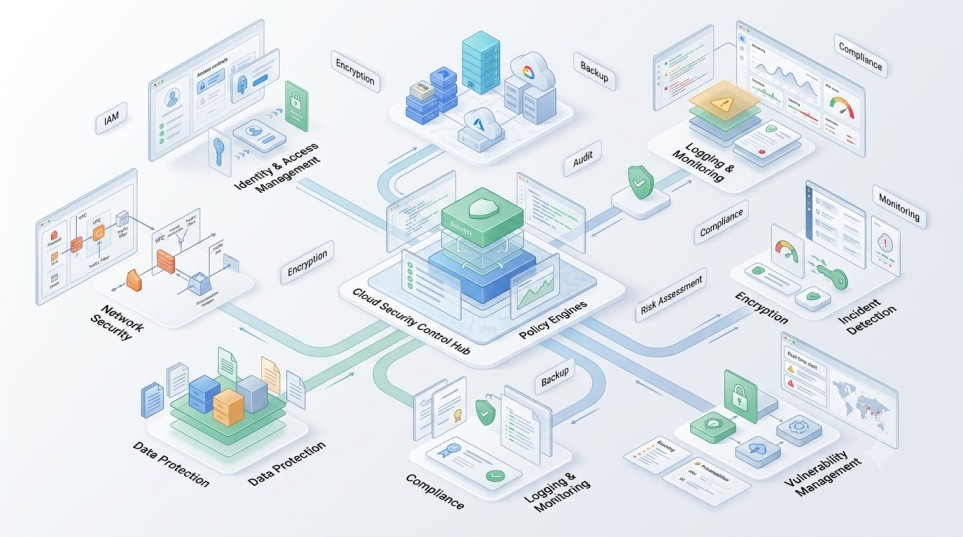
A cloud security audit checklist is a structured set of controls used to evaluate security posture across cloud environments. For AWS, Azure, and Google Cloud Platform (GCP), a strong audit focuses on identity and access management, network security, data protection, logging, compliance, and configuration hygiene. The goal is to identify misconfigurations, over-permissions, and exposure risks before they lead to security incidents.
As organizations adopt multi-cloud architectures, security complexity increases significantly. AWS, Azure, and GCP each provide strong native security tools, but inconsistent configuration across environments creates exposure gaps.
A cloud security audit ensures:
Without structured audits, security drift becomes inevitable.
Ensure users and service accounts only have necessary permissions.
Avoid excessive use of admin-level roles across AWS, Azure, and GCP.
Standardize access based on job functions.
Identify unused or overly permissive service accounts.
MFA should be mandatory for all privileged accounts.
Remove or deactivate unused user accounts.
Use centralized identity systems like Azure AD or Google Identity.
Remove overly permissive inbound and outbound rules.
Avoid unnecessary public IP assignments.
Use private endpoints, VPC peering, or service endpoints.
Detect unusual or unauthorized data flows.
Ensure all storage services are encrypted by default.
Use TLS for all service communications.
Use managed key services like AWS KMS, Azure Key Vault, and GCP KMS.
Identify and label critical datasets.
Track all administrative and access activities.
Aggregate logs across AWS, Azure, and GCP.
Use tools like GuardDuty, Microsoft Defender for Cloud, and Security Command Center.
Monitor unauthorized access and configuration changes.
Audit storage buckets, databases, and compute instances.
Eliminate orphaned workloads and idle services.
Enforce consistent tagging for cost and ownership tracking.
Align with standards such as ISO 27001, SOC 2, and India’s DPDP Act.
Use tools like AWS Config, Azure Policy, and GCP Organization Policy.
Schedule continuous or quarterly security reviews.
| Area | AWS Risk | Azure Risk | GCP Risk |
| IAM Misconfiguration | High | High | High |
| Public Exposure | High | Medium | Medium |
| Logging Gaps | Medium | Medium | Medium |
| Network Misconfig | High | High | High |
| Data Leakage Risk | High | High | High |
Different teams apply inconsistent security policies across clouds.
Audits are performed once instead of continuously.
Excessive IAM permissions increase breach risk.
Machine identities are often overlooked.
Multi-cloud environments lack unified dashboards.
A mature enterprise audit model includes:
| Level | Description | Security Posture |
| Basic | Manual checks | Weak |
| Reactive | Incident-based audits | Moderate |
| Defined | Standard checklist used | Good |
| Automated | Policy-driven enforcement | Strong |
| Continuous | Real-time security posture management | Very strong |
It is a structured review of cloud environments to identify security risks, misconfigurations, and compliance gaps.
At least quarterly, with continuous monitoring recommended for enterprise environments.
AWS, Azure, and GCP all provide strong security; most risks come from misconfiguration.
Over-privileged access and publicly exposed resources are the most common risks.
Yes, using native tools like AWS Config, Azure Policy, and GCP Security Command Center.
Cloud security audits are essential for maintaining control in complex multi-cloud environments. As AWS, Azure, and GCP deployments scale, manual oversight becomes insufficient.
Organizations that adopt continuous, automated, and policy-driven audit frameworks significantly reduce their risk of data breaches and compliance violations.
A well-structured audit checklist is not just a security tool—it is a governance mechanism that supports scalability, compliance, and operational stability across enterprise cloud environments.