GCP IAM Best Practices: Identifying and Removing Over-Privileged Accounts

Transcloud

June 17, 2026

Executive Overview:

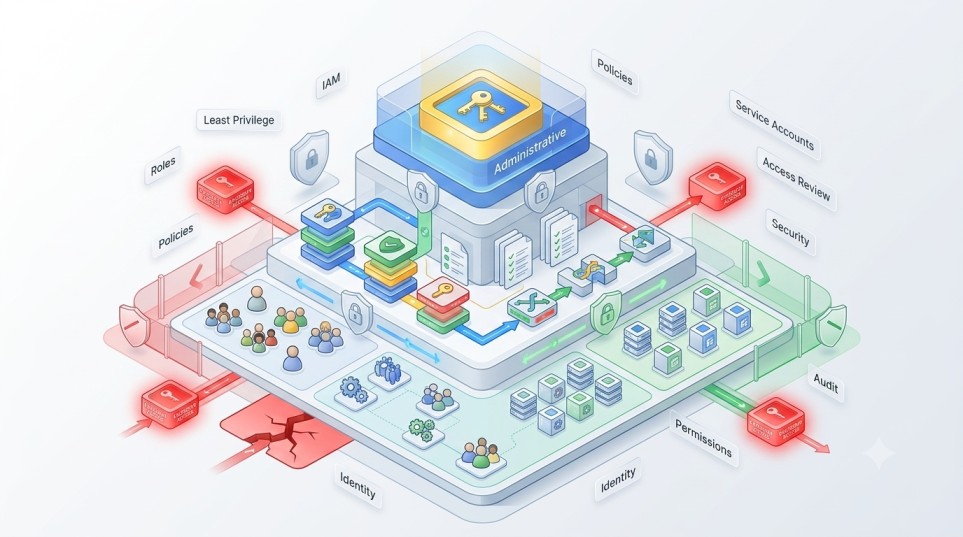
Over-privileged IAM accounts in Google Cloud Platform (GCP) are one of the most common enterprise security risks. They occur when users, service accounts, or groups are granted broader permissions than necessary. The safest approach is to apply least privilege access, regularly audit IAM roles, remove unused permissions, and use organization-level policies to enforce access boundaries. Tools such as IAM Recommender, audit logs, and policy constraints help identify and remediate excessive permissions.

Key Takeaways

  • Over-privileged IAM accounts are a primary cause of cloud security exposure.
  • Least privilege access should be enforced across all GCP resources.
  • Service accounts are often more risky than human users.
  • Regular IAM audits are required in production environments.
  • GCP provides native tools like IAM Recommender and Cloud Audit Logs.
  • Governance must be continuous, not one-time.

Why IAM Misconfiguration Is a Critical GCP Risk

Identity and Access Management (IAM) is the foundation of security in Google Cloud. It controls who can access resources and what actions they can perform.

In large enterprise environments, IAM complexity increases quickly due to:

  • Multiple projects and folders
  • Shared service accounts
  • Cross-team collaboration
  • Rapid scaling of cloud resources

Without strict governance, permissions tend to expand over time. This leads to over-privileged accounts that violate the principle of least privilege.

What Is an Over-Privileged IAM Account?

An over-privileged IAM account has more permissions than it actually needs to perform its function.

Examples:

  • A developer account with full project admin access
  • A service account with unrestricted compute permissions
  • A user granted editor role across multiple projects unnecessarily

Why this is dangerous:

  • Increases attack surface
  • Enables lateral movement in case of compromise
  • Violates compliance requirements
  • Makes access auditing difficult

How Over-Privileged Access Happens in GCP

1. Default Role Assignment

Teams often assign broad roles like:

  • Owner
  • Editor

These roles are convenient but too permissive for production use.

2. Lack of Role Granularity

Organizations fail to define custom roles, leading to overuse of predefined roles.

3. Service Account Sprawl

Service accounts often accumulate permissions over time without periodic review.

4. Temporary Permissions Becoming Permanent

Short-term elevated access is rarely revoked.

5. Poor Onboarding/Offboarding Processes

Users retain access after changing teams or leaving projects.

GCP IAM Best Practices

1. Enforce Least Privilege Access

Grant only the minimum permissions required.

Avoid using broad roles such as:

  • roles/editor
  • roles/owner

Instead, use:

  • predefined narrow roles
  • custom roles where necessary

2. Use IAM Recommender

GCP provides IAM Recommender to identify unused permissions.

It helps:

  • Detect overly broad roles
  • Suggest role reductions
  • Improve security posture over time

3. Regular IAM Audits

Conduct periodic reviews of:

  • User permissions
  • Service account roles
  • Group memberships

Focus on identifying stale or unnecessary access.

4. Use Service Account Best Practices

Service accounts should:

  • Be scoped to specific workloads
  • Avoid sharing across applications
  • Use key rotation policies
  • Avoid long-lived keys when possible

5. Apply Organization Policies

GCP Organization Policy Service can enforce:

  • Restrictions on role assignments
  • Domain-level access controls
  • Service account usage rules

This ensures governance at scale.

6. Enable Cloud Audit Logs

Audit logs help track:

  • IAM changes
  • Access patterns
  • Policy modifications

This is essential for detecting unauthorized privilege escalation.

7. Implement Role-Based Access Control (RBAC)

Structure access based on job function:

  • Developers
  • DevOps engineers
  • Security teams
  • Finance teams

This reduces ad-hoc permission assignments.

8. Remove Unused Accounts and Roles

Inactive accounts should be:

  • Disabled
  • Reviewed
  • Eventually removed

This reduces attack surface significantly.

Common IAM Mistakes in GCP

Overuse of Editor Role

Many teams assign Editor access for simplicity, which is overly permissive.

Ignoring Service Account Permissions

Service accounts often have excessive privileges compared to human users.

No Periodic Access Reviews

Permissions are rarely reviewed after initial setup.

Lack of Separation Between Environments

Production and development environments often share IAM policies.

Weak Delegation Models

Access is granted directly instead of through groups or roles.

IAM Risk Comparison

PracticeRisk LevelExplanation
Least privilege rolesLowMinimal access exposure
Group-based accessLowEasier centralized control
Broad Editor rolesHighExcessive permissions
Unmonitored service accountsVery HighHard to detect misuse
No access reviewsHighPermissions accumulate over time

How to Identify Over-Privileged Accounts

1. Use IAM Policy Analyzer

Identifies:

  • Who has access to what
  • Excessive role assignments
  • Cross-project permissions

2. Review Cloud Audit Logs

Look for:

  • Unusual access patterns
  • Rarely used permissions
  • High-risk operations

3. Analyze Service Account Usage

Check:

  • Authentication frequency
  • API usage patterns
  • Key rotation history

4. Use Security Command Center

Provides centralized visibility into IAM risks and misconfigurations.

IAM Governance Model (Recommended)

A mature GCP IAM setup includes:

  • Central security team defining policies
  • Automated role provisioning via IaC
  • Periodic access reviews
  • IAM Recommender integration
  • Continuous monitoring via audit logs
  • Enforcement via organization policies

IAM Maturity Levels

LevelDescriptionSecurity Posture
Ad-hocManual permissionsVery weak
BasicSome role structureWeak
DefinedStandard roles and groupsModerate
ManagedAutomated governanceStrong
OptimizedContinuous least privilege enforcementVery strong

Implementation Checklist

  • Replace Owner/Editor roles with least privilege roles
  • Enable IAM Recommender
  • Audit service accounts quarterly
  • Enforce group-based access control
  • Enable Cloud Audit Logs
  • Apply Organization Policy constraints
  • Remove inactive users and roles
  • Integrate IAM with CI/CD pipelines

Frequently Asked Questions

What is an over-privileged IAM account?

It is an account that has more permissions than required for its role or function.

Why is IAM important in GCP security?

Because it controls all access to cloud resources and prevents unauthorized actions.

How often should IAM roles be reviewed?

At least quarterly in enterprise environments.

What is the safest IAM model?

A least privilege, role-based model with continuous monitoring.

Can IAM misconfiguration cause data breaches?

Yes, excessive permissions are a major cause of cloud security incidents.

Final Thoughts

IAM governance in GCP is not a one-time configuration task. It is a continuous security discipline.

Most cloud security incidents stem from excessive permissions rather than platform vulnerabilities. Organizations that enforce least privilege access, automate policy enforcement, and regularly audit IAM configurations significantly reduce their risk exposure.

In multi-cloud environments, consistent IAM governance across GCP, AWS, and Azure becomes even more critical to maintain a secure and compliant architecture.

Stay Updated with Latest Blogs

    You May Also Like

    The Hidden Costs of Outdated Infrastructure: Why Cloud-Native, Secure-by-Design Infra Wins in 2025

    August 11, 2025
    Read blog

    Financial Accountability at the Source: Preventing the Cloud Hangover

    March 19, 2026
    Read blog

    Kubernetes for Enterprises: Simplifying Multicluster Operations

    April 22, 2025
    Read blog